Appearance
Changing and managing users
In this section
- Learn how to create users
- Learn how to manage users
- Learn how to change a user's password
- Learn how to delete users
Before we begin
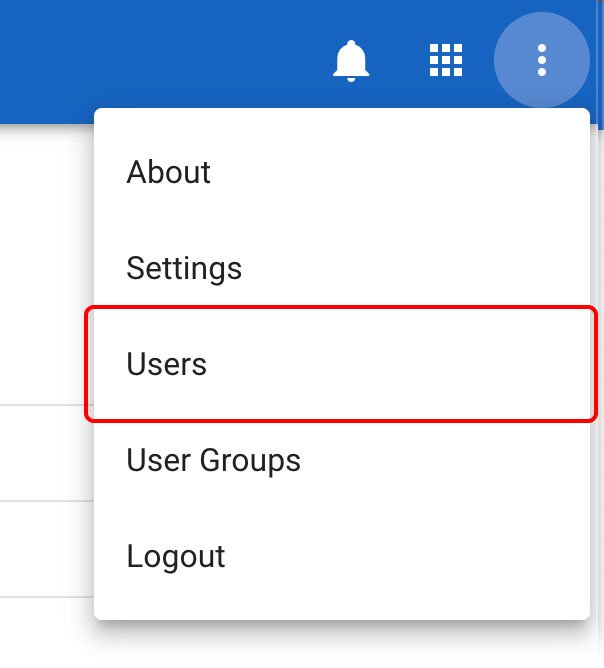
Navigate to the Users section in the settings menu.
Creating users
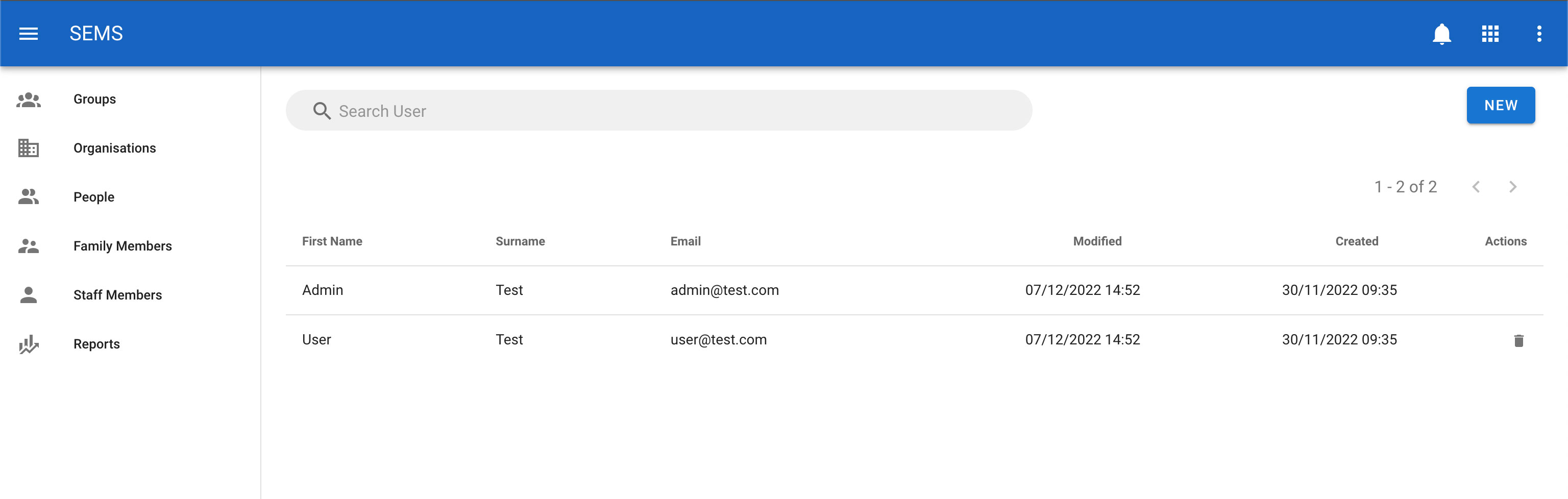
From the users section click on the New button.
In the New User section, you can edit the user's details. The two most important parts of the user's details are the email (which is also used for logging in) and password.
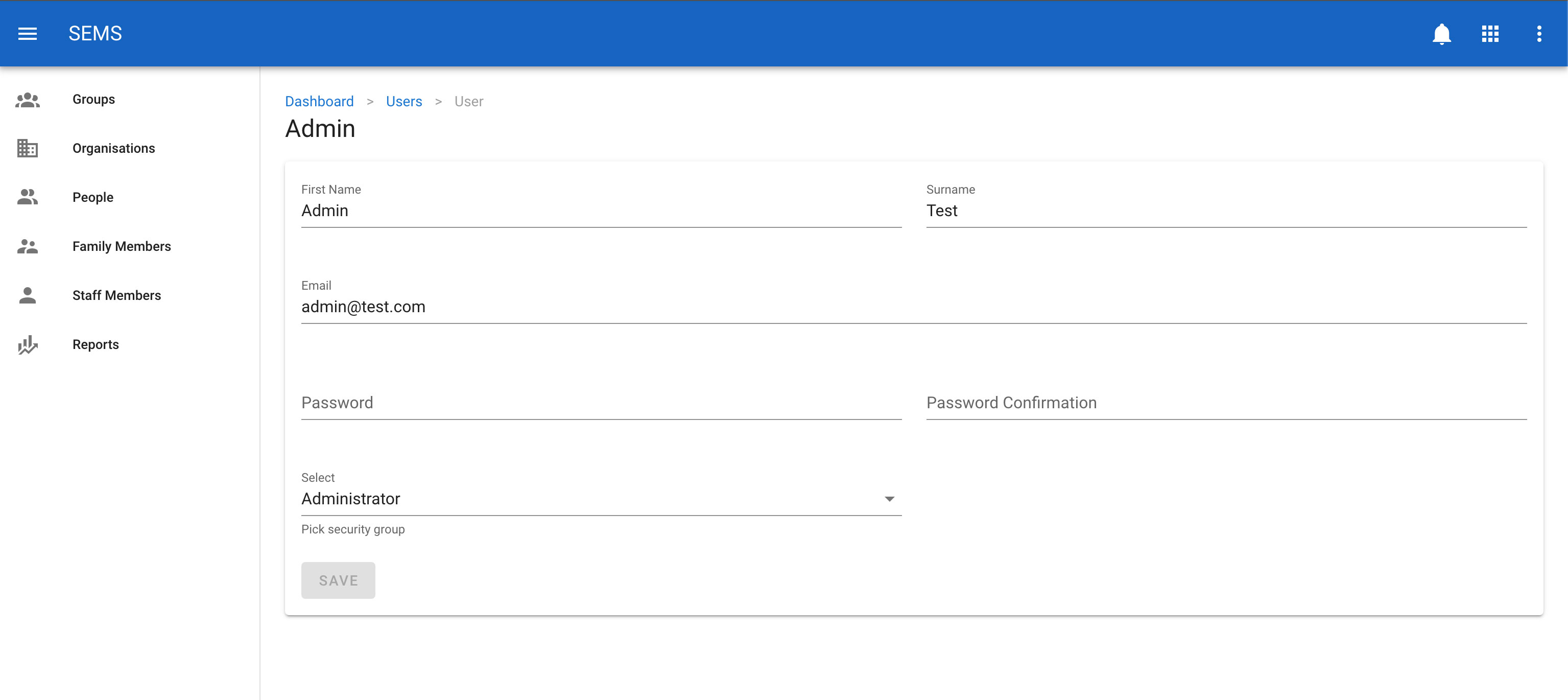
Only give the user the level of access that they require. Administrator group should only be used for AIIU Administrators that require full access to system.
TIP
Users can be in multiple security groups.
Changing a user's password
To change a user's password, navigate to the Users page, and select the user you would like to edit.
Once on the user edit screen, enter the new password in both the password and confirm password fields. Then confirm the change by clicking the Save button.
DANGER
Do not send user passwords over email, as it is not secure. Generally it is better to just update the user password in the AIIU password system.
Editing a user
To change a user's details, navigate to the Users page, and select the user you would like to edit by clicking on their name.
Once on the user edit screen, enter the new details in the fields provided. Then confirm the change by clicking the Save button.
Deleting users
To delete a user, navigate to the Users page, click the icon Delete which is shown as a trash icon on the list view for a user.