Appearance
Managing security groups and permissions
In this section
- Understand security groups
- Learn how to create a security group
- Learn how to edit permission on a security group
- Learn how to add a user to a security group
Before we begin
Navigate to the User Groups section in the settings menu.
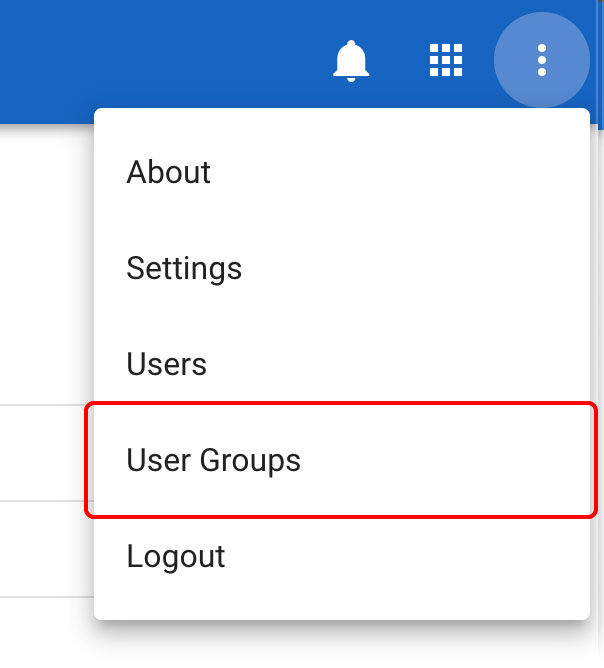
Understand security groups
Instead of assigning individual permissions to view, create, edit, or delete content per user, you can use Security Groups to organise which accounts have certain permissions in the AIIU SEMS application.
Security groups are collections of users that have access to specific areas within the application.
Setting up a security group
From the user groups section click on the New button.
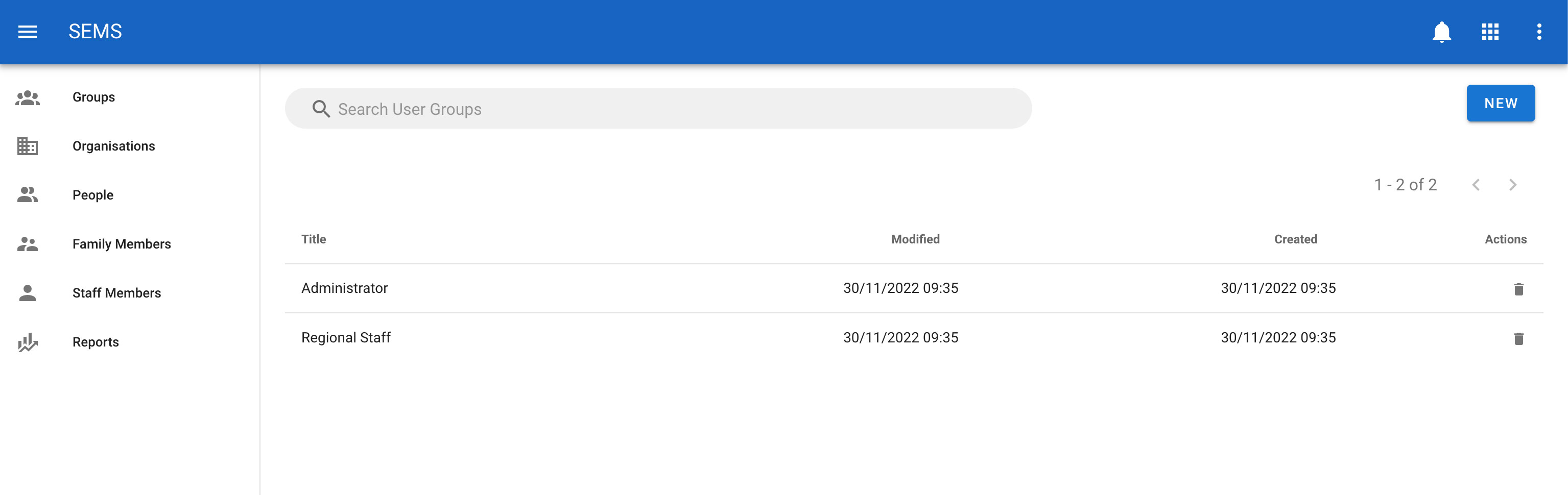
In the New User Groups section, you can edit the user groups details and permissions.
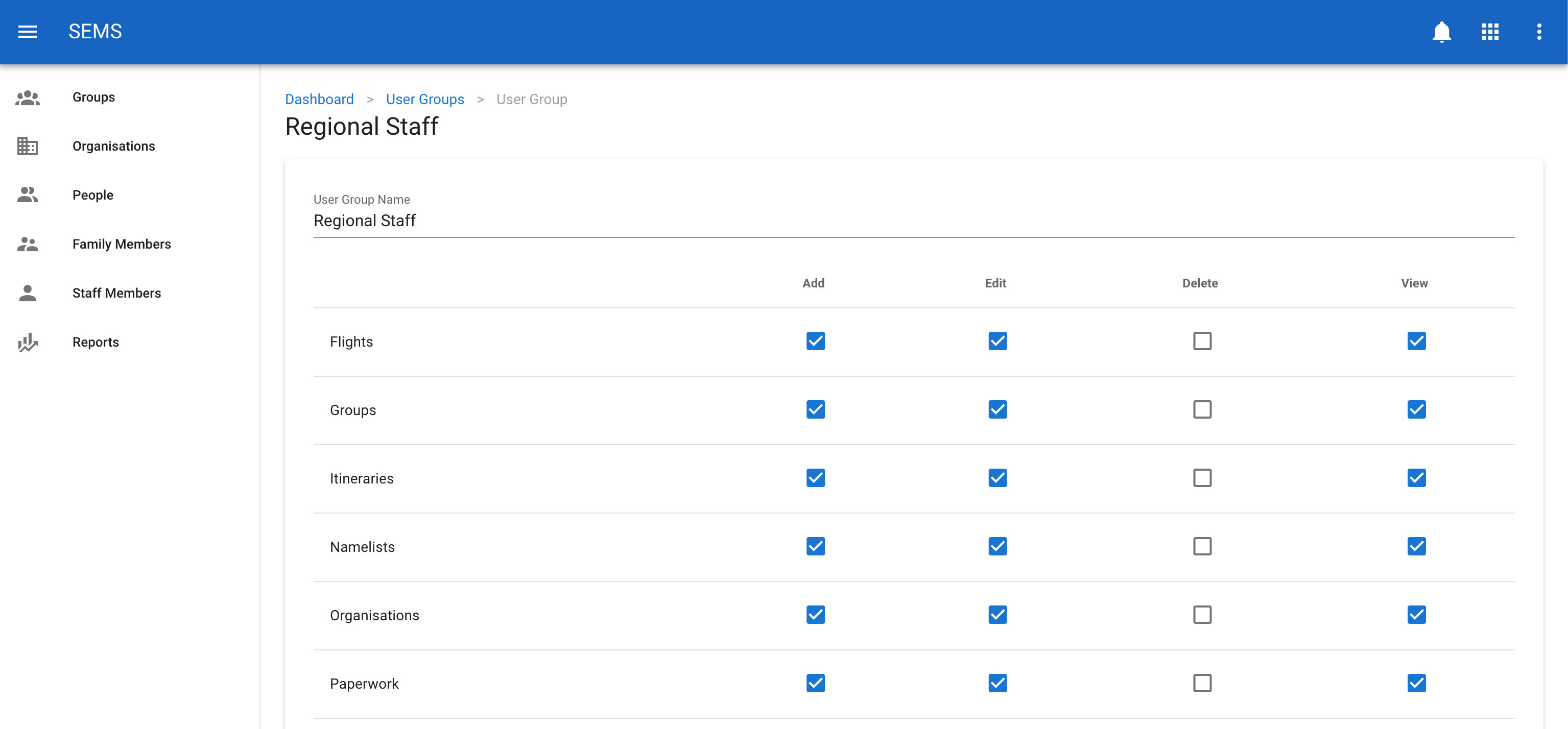
Enter a user group name, select the appropriate permissions and the click on the save button.
TIP
To toggle a whole set of permissions you can click on the permission name in the table row, this will turn on or off all the permissions in that row.
Adding members to security groups
To add members to security groups you need to go to the individual users and add them under the security groups dropdown list. See users
Editing a security group
To change or edit a security group, navigate to the User Groups page, and select the user group you would like to edit by clicking on the title or row.
Once on the user group edit screen, enter the updated title and set the new permissions. Then confirm the change by clicking the Save button.
Deleting a security group
To delete a user group navigate to the User Groups page, then click the icon Delete which is shown as a trash icon on the list view for a user group.