Appearance
Two Factor Authentication (2FA)
In this section
- Learn what 2FA is
- Learn about application required for 2FA
- Learn how to set your 2FA
What is 2FA
Two-factor authentication (2FA) is a security measure that provides an additional layer of protection for online accounts and services. It requires users to provide two different types of authentication factors to verify their identity before granting access.
The first factor is typically something the user knows, such as a password or a PIN. This is the initial step of authentication that most people are familiar with. However, relying solely on a password can be vulnerable to various threats like hacking, phishing, or password guessing.
The second factor is an additional piece of information that the user possesses or has access to. In the SEMS AIIU application this is a special one-time password (OTP) generated by a mobile app authenticator.
When two-factor authentication is enabled, the user must provide both the password and the second factor to gain access to their account. This extra layer of security makes it significantly harder for attackers to compromise accounts, even if they manage to obtain the password through various means.
Popular OTP (One-Time Password) mobile applications
There are several popular OTP (One-Time Password) mobile applications available that can generate temporary authentication codes for two-factor authentication. Some common OTP mobile applications include:
Google Authenticator: Google Authenticator is a widely used OTP app that generates time-based OTP codes. It supports multiple accounts and is available for both iOS and Android devices.
Microsoft Authenticator: Microsoft Authenticator is another popular OTP app that supports multi-factor authentication. It provides additional security features like biometric verification and push notifications. It is available for iOS and Android.
Authy: Authy is a feature-rich OTP app that allows users to store and manage OTP codes for various accounts. It offers cloud backup and synchronization across devices. Authy is available for iOS, Android, and desktop platforms.
2FAS: 2FAS is an OTP app that offers two-factor authentication services for multiple platforms. It provides additional security features like push notifications and fingerprint authentication. 2FAS is available for iOS and Android.
INFO
To be able to login to AIIU SEMS you will need a OTP application
Set your 2FA
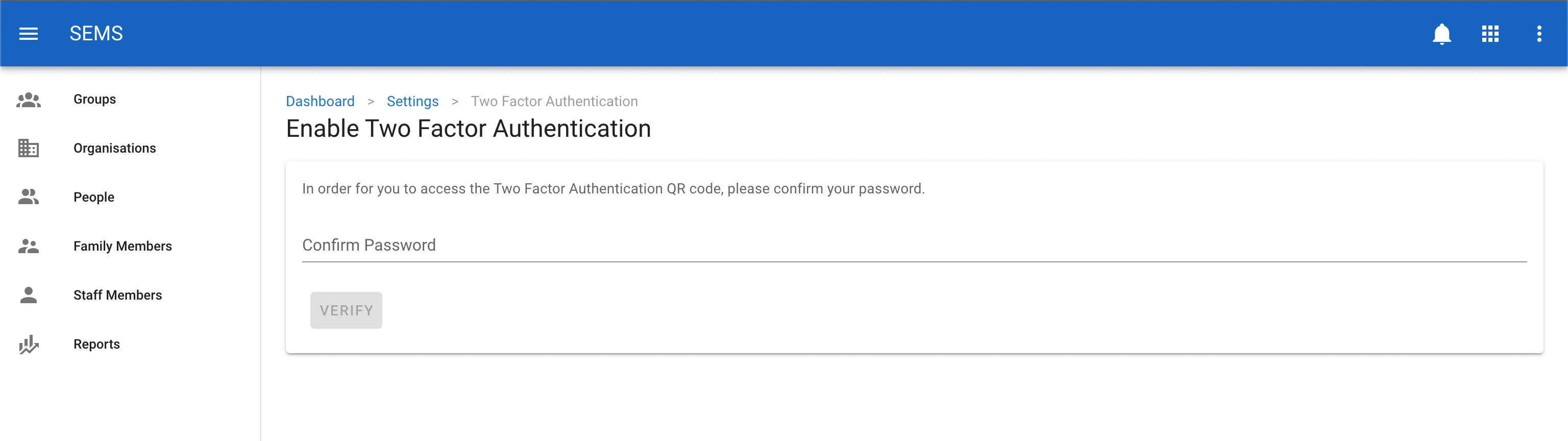
Once you have logged into the AIIU SEMS application you will be asked to confirm your password. Enter your password and click on the verify button.
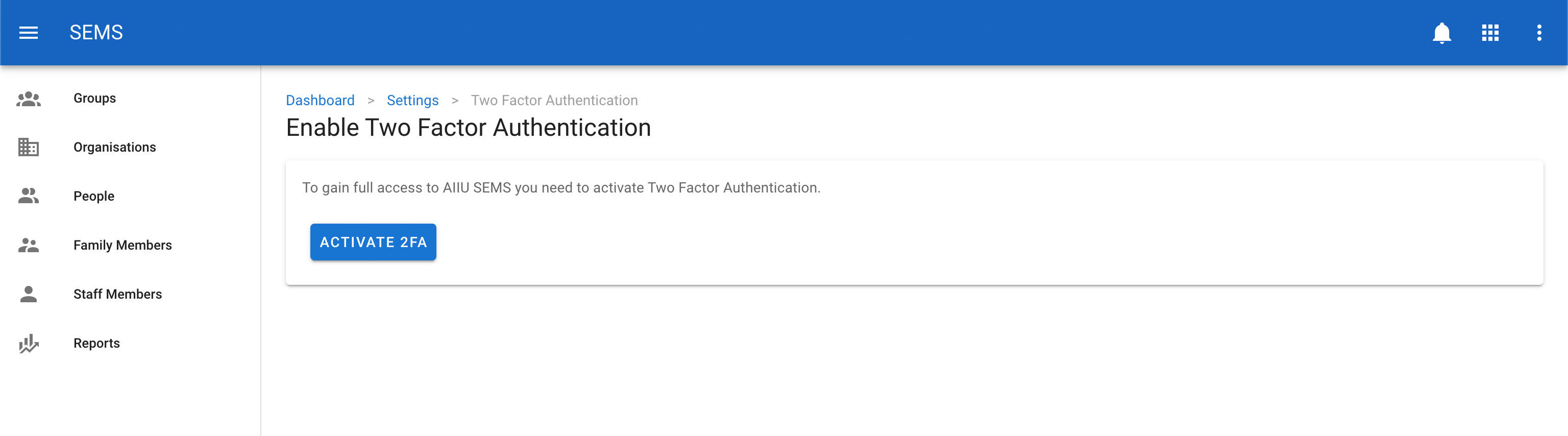
When you have done this you need to click on the activate 2FA button, this will activate 2FA for your account.
A QR code will be generated, use your 2FA mobile app to scan this QR code and save the details to your 2FA application. You will need the 2FA applicaiton to login to AIIU SEMS in the future.
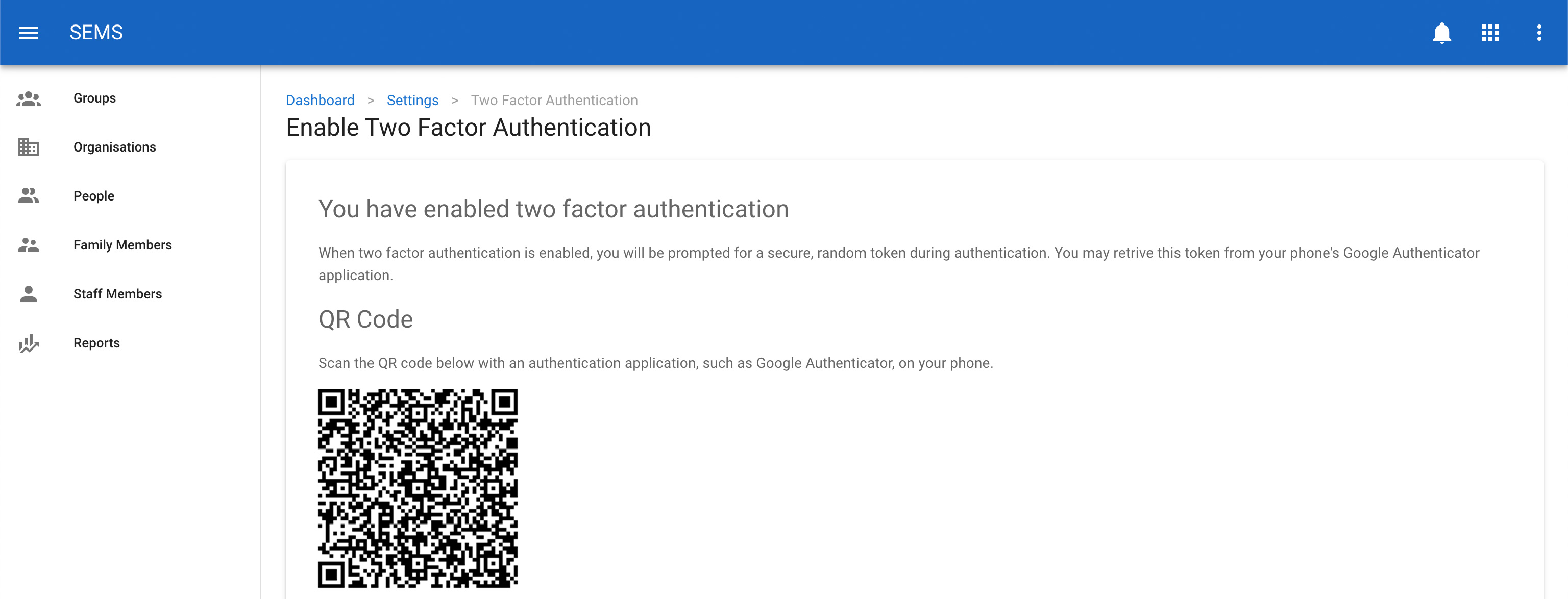
Further down the screen will be a unique set of recovery codes. Copy these codes to a safe place as these can be used to access your account if you do not have access to the 2FA application.
Once this is done you can naviate the rest of the AIIU SEMS application.
WARNING
If you loose access to 2FA application and can no longer access your recovery codes please contact the AIIU SEMS administrator so that they can reset your 2FA.